Skip to content
Interactive Court – Magistratemaintenance2026-04-28T14:32:24+01:00
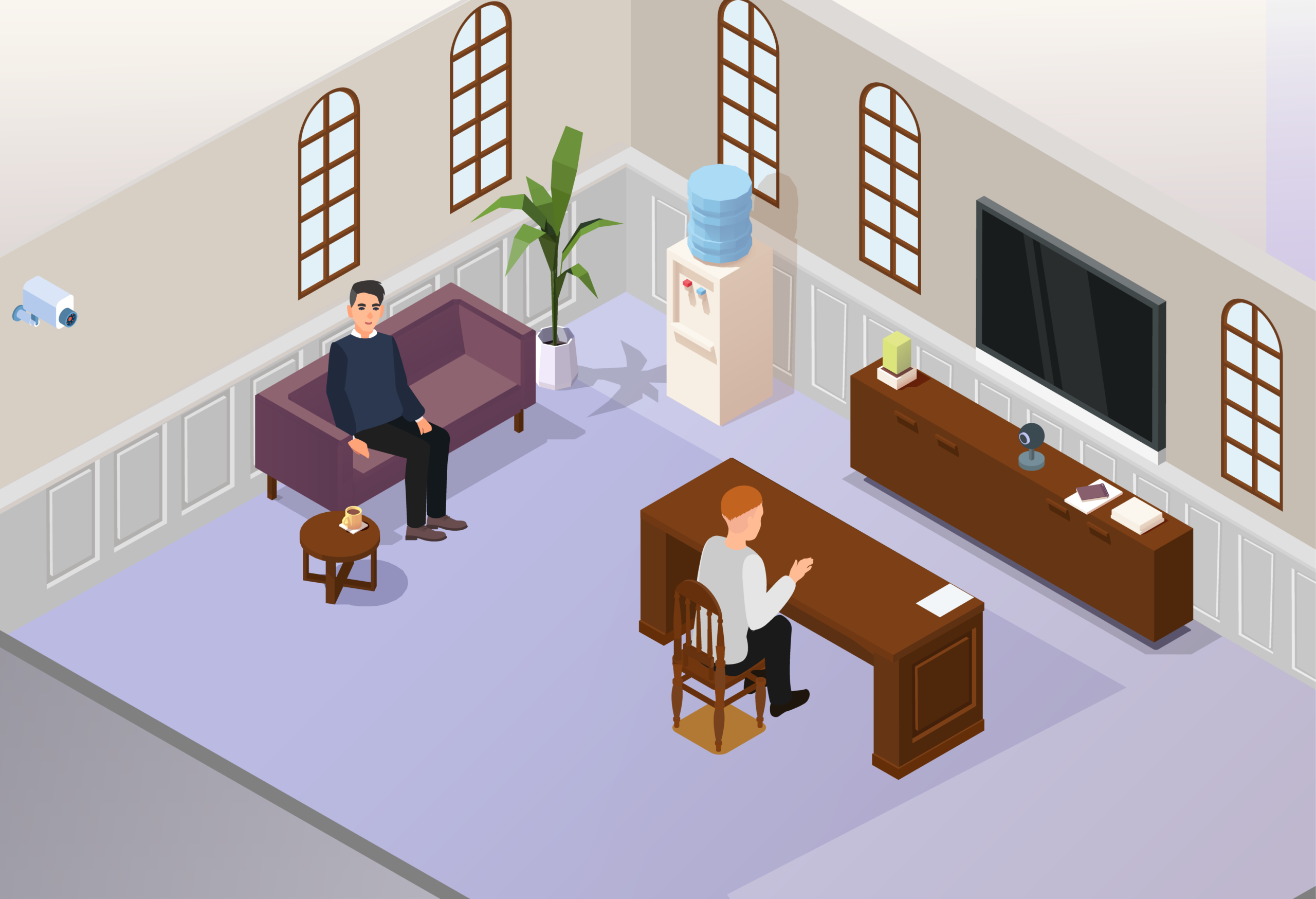
Illustration of a live link room at court, showing the ginger man sat at a table facing a video camera and screen. To the man’s left, the man in the grey jumper is seated on a purple sofa. There is a security camera on the wall beside him. There are text labels over both men in the scene – the man in grey is labelled Witness Service supporter and the ginger man is labelled Witness - as well as the video camera (labelled Live link camera), screen (labelled TV screen), and security camera (labelled CCTV cameras). A purple navigation menu along the bottom of the illustration has options “Outside court”, “Security”, “Waiting room”, “Courtrooms”, “Live link rooms” and “After court” in white font. A button at the top right of the image reads “Exit interactive courtroom”. Witness Service supporter CCTV cameras TV screen Live link camera Witness

Witness Service supporter

A Witness Service supporter may be able to sit in the live link room with you while you give your evidence. But they are not allowed to speak to you while you do so.


Use the play button below to read aloud.

Witness

If you’re giving evidence by live video link, you may be in another room in the court building, or another room elsewhere. You sit in front of what looks like a TV with a video-recording device – like a webcam – so you can be seen live in the courtroom.


Use the play button below to read aloud.

TV screen

You’ll only see the person who is speaking to you from the courtroom – such as the magistrate, district judge or lawyer – on the TV screen. The magistrate or district judge controls who you can see on your screen. You will not see the defendant on this screen.


Use the play button below to read aloud.

Live link camera

This camera will film you giving your evidence. The live picture of you will be seen by people in the courtroom on the TV screens.


Use the play button below to read aloud.

CCTV cameras

There may be additional cameras – like CCTV – in the live link room when you give your evidence. This is to allow the magistrate or district judge to see everything that happens in the live link room.


Use the play button below to read aloud.

Exit interactive courtroom
  • Outside court
  • Security
  • Waiting room
  • Courtrooms
  • Live link rooms
  • After court

Use the slider located at the bottom of each screen to move through the room.

Tap each [?] hotspot to find out what 
to expect when attending court.

  • Change Location
    • Outside Court
    • Security
    • Waiting room
    • Courtrooms
    • Live link rooms
    • After court
Page load link